Harmoni
Project Overview


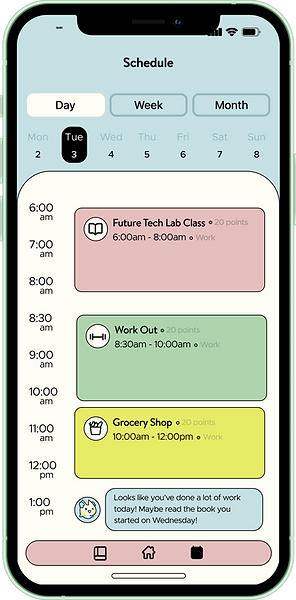
College students struggle to maintain a healthy balance between academics, work, their social lives, and self-care, with their own well-being and basic needs often falling to the side in favor of prioritizing other things. Harmoni helps students manage and maintain a good balance by incentivizing habits that are best for them as an individual. Students can use this app to organize their tasks, calendars, and also keep track of their moods and emotions. It’s everything the unbalanced college student needs to be successful, all in one place.
Role
UX Designer
UX Researcher
Duration
1 Month
Team
Madison Kim - Illustrator/UX Designer
Helena Bjeletich - Programmer
Tools


The Problem
Upperclassmen college students often struggle to maintain a healthy work-life balance. As academic responsibilities, internships, jobs, and social commitments pile up, self-care and basic needs are often pushed aside. Many students find that their work and social calendars take priority over rest, wellness, and personal time, making it difficult to build sustainable habits.
The Solution
The solution is an app designed to encourage and support a healthier work-life balance through personalized incentives. By using gamification, the app makes the experience more engaging and motivating for students. It also includes an AI-powered tool that analyzes a user’s schedule, learns their ideal balance over time, and sends reminders for when it may be time to take a break or continue being productive.
The Challenges
One of the main challenges is balancing engagement with simplicity. While gamification helps make the app feel fun and distinct, it must be designed carefully so it does not become overwhelming or overly complicated for users. Similarly, adding more features may improve usability and personalization, but too much complexity could discourage students from using the app consistently.
User Interviews
Interview Protocol
The interview protocol for this project involved speaking with six participants, all of whom were female college students. Each interview focused on understanding their experiences with work-life balance, including how they manage academic responsibilities, social commitments, and personal well-being. The questions were designed to uncover common challenges, habits, and attitudes related to balancing productivity with self-care. By gathering these personal insights, the interviews helped identify recurring patterns and informed the direction of the app concept and its features.
Questions
-
What does an ideal work/life balance mean/look like to you?
-
Do you feel like you are achieving that balance?
-
How do you think you areachieving that balance and if not, how do you think you can?
-
-
Which part of the balance do you think you prioritize more?
-
Why do you prioritize it more?
-
-
What feelings arise when you think about work?
-
What feelings arise when you think of your free time?
-
How do you think you're successful or not successful in work life balance?
Digesting The Data
After conducting the interviews, we focused on finding ways to make the insights easier to organize and understand.
We synthesized all of our user research into an affinity diagram and a user persona to better identify patterns and key insights. Bringing all of the data into a single space allowed us to group related findings and distill them into clear, concise themes. This analysis helped ground our design ideation and made our brainstorming process more focused and effective.
Findings
Work & Career
Students felt stressed about maintaining and building a good balance for their future careers.
Students felt that self-care often took a back seat as they prioritized work and social life.
Scheduling
Students found the most benefit in creating a virtual schedule that could be as structured or flexible as they needed.
Social Life
Students wanted to make sure they were making the most of the time they have left in college.
Affinity Mapping

User Persona
This persona represents Lauren, a 22-year-old senior majoring in business who is balancing a demanding schedule that includes a 10-hour job, 20 hours of school each week, and regular social commitments. She is hardworking, sociable, and analytical, but often struggles with organization, burnout, and feelings of unproductivity during her free time. Lauren needs tools that help her stay organized, reminders to take breaks, and a system that helps her better understand productivity outside of work while still feeling engaging and enjoyable.

Ideate
Design Process
With our ideas clearly defined, we moved into the ideation phase. We sketched a range of features that we believed could address our users’ core problems, then evaluated those ideas based on user benefit and implementation feasibility. After identifying our strongest features, we began developing user flows and planning how AI functionality could be integrated in a way that felt useful and seamless.
Idea Generation

Jot Mapping

Priority Features


We prioritized features that offered high user value while still being realistic to prototype in Unity within a two-week timeframe. Similar ideas were consolidated into broader, more cohesive features to keep the experience focused and manageable. We then refined those decisions through feedback from peers, professors, and the users we had interviewed earlier in the process.
User Flow Sketch

Low-Fidelity Wireframes
Once the core features were defined and the user flow was established, I began translating these ideas into low-fidelity wireframes. These early designs focused on structure and usability, ensuring that each feature connected intuitively within the overall experience.
Key Screens & Features:
Home Page:
-
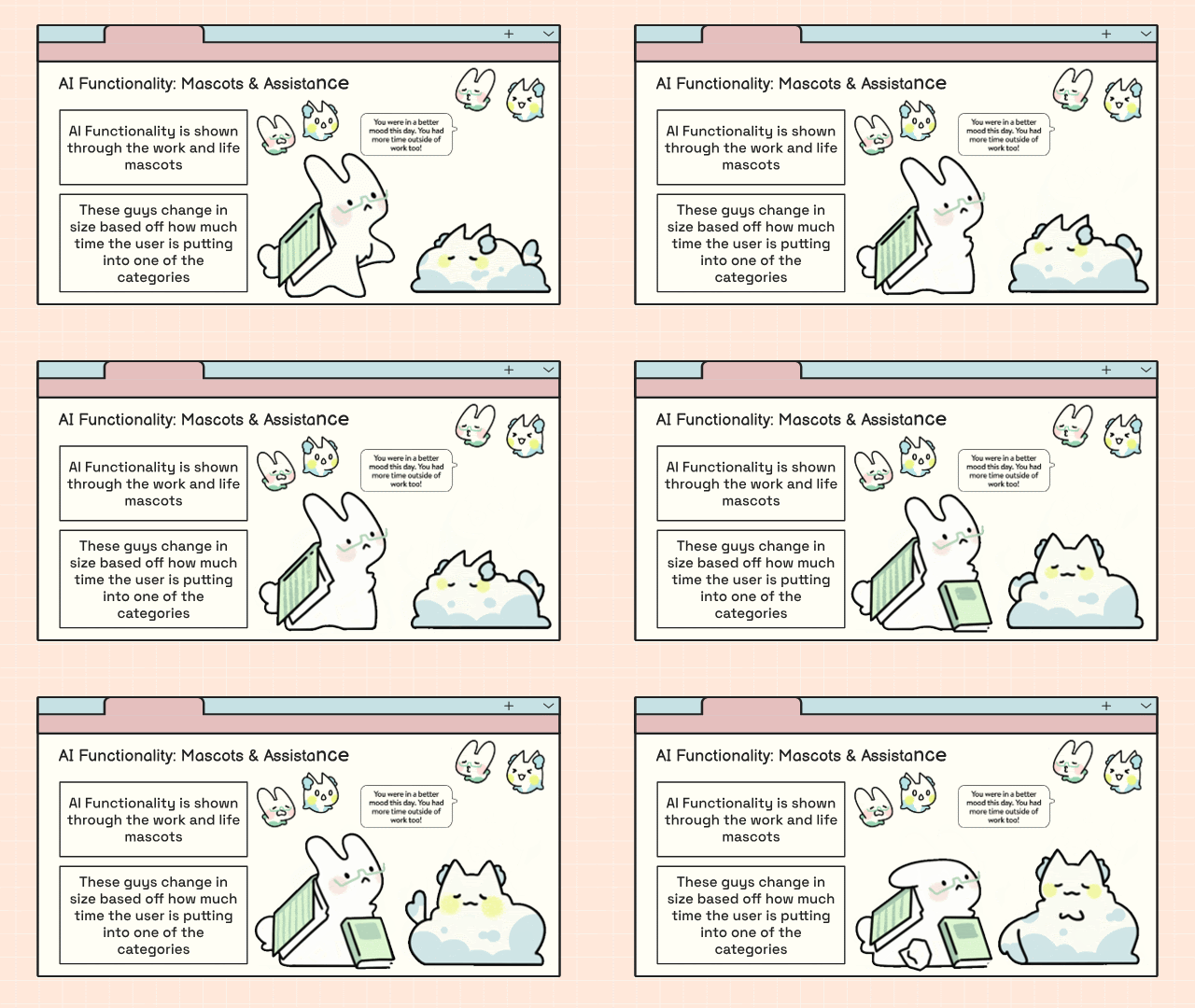
Displays the users work life balance through mascots
-
Shows the users to-do list, sorted by priority
-
Add/edit a task feature
Schedule Page:
-
Displays the users schedule
-
Options to view the schedule by day, week, month, or year
-
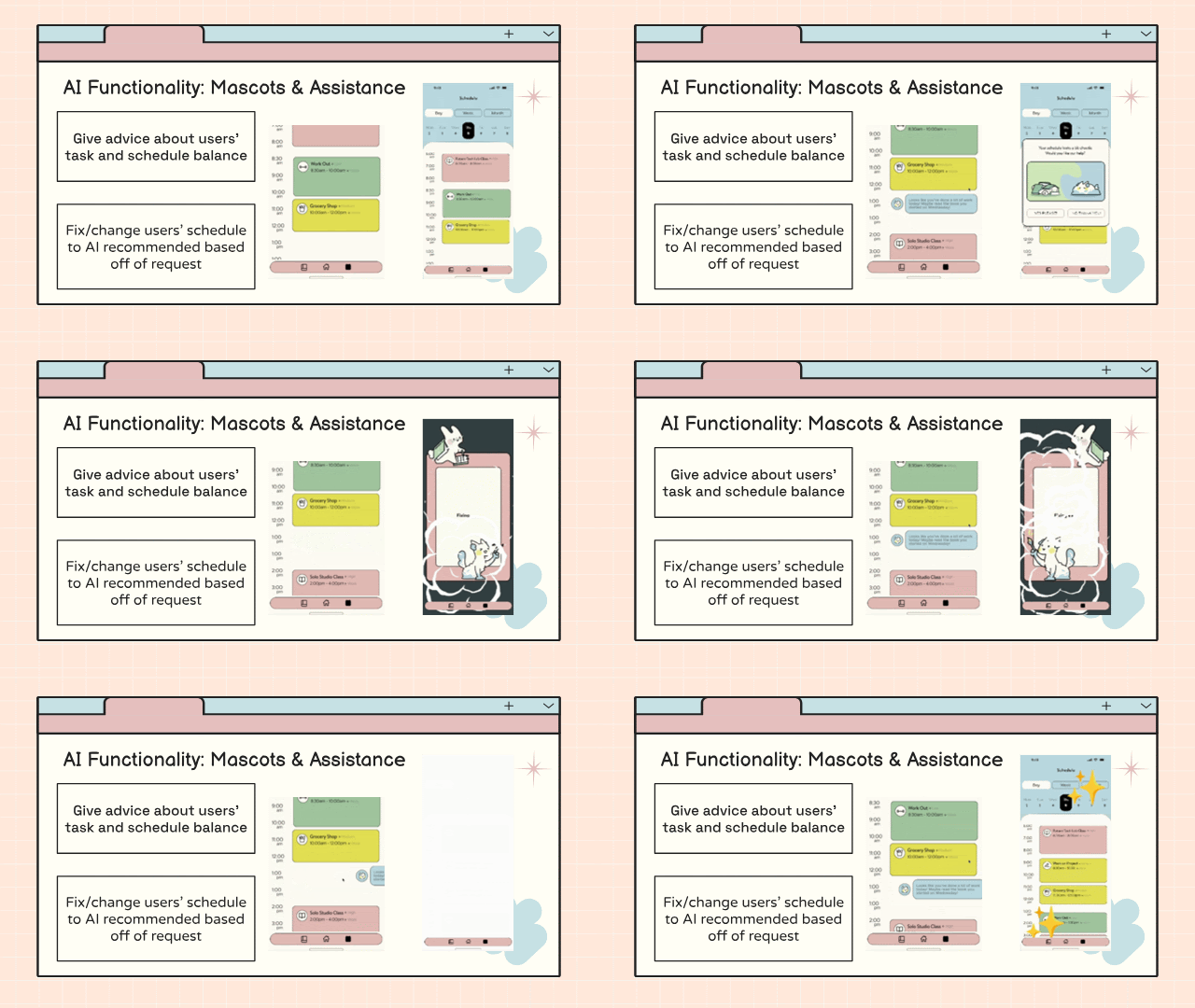
AI feature that tells the user when they can add or subtract activities from their schedule
Journal Page
-
User can fill out daily journal entries
-
Tracks the users mood over time to see how they've improved their work life balance

Revised Low-fi Wireframes

Design
Design Concept
The design for Harmoni was intended to feel warm, friendly, and approachable. Because digitally planning your life can sometimes feel stressful or overwhelming, we wanted the app’s visual design to create a sense of happiness and ease so users would associate the experience with support rather than pressure. We also designed with our target audience, college women, in mind, shaping the design system around aesthetics that would feel appealing and relatable to them. Bright colors and a distinct visual identity helped give Harmoni a strong personality that felt both inviting and memorable.


Since we only had about two weeks to design the app, we kept our design system intentionally simple. Rather than building out a full component library, we focused on establishing a strong color palette and typographic direction. For the visual style, we drew inspiration from playful applications with a simple, early-2000s aesthetic. Because Harmoni incorporates gamification, we wanted the app’s design to reflect the charm and familiarity of the “girl games” our team grew up playing.
High-Fidelity Wireframes
Below are the primary high-fidelity frames I designed, including the home page, schedule page, and journaling page. These screens demonstrate how I incorporated feedback from our user interview sessions while consistently applying the established design system.


A-Priority Features


B-Priority Features

Demo Video
Harmoni was prototyped using Unity

Reflection
This project helped me better understand how to design for a need that is both highly personal and widely shared: maintaining a healthy work-life balance. One of the biggest strengths of the concept was the way it combined organization tools with gamification, creating an experience that felt both useful and engaging. Through our research and interviews, we were able to ground the design in real user needs, which made the final concept feel thoughtful and relevant. I was also proud of the overall design deliverable, as it clearly communicated the problem, our process, and the direction of the solution.
At the same time, this project revealed several opportunities for growth. With more time, I would expand the app’s functionality to create a more complete experience, including features such as a profile page, the Lock-In feature, and a more robust journaling system. I also think customization would be an important next step, since work-life balance looks different for every user and the app should be able to reflect those differences. Finally, I would want to test the concept with a broader range of users beyond our initial audience to better understand how the product could serve different lifestyles, routines, and priorities. Overall, this project strengthened my ability to balance user needs, design direction, and feasibility while also showing me where the concept could evolve further.